
Get State
Action → Plugin → TaskerHA → HA Get State
Fetches the current state and attributes of any Home Assistant entity and makes them available as Tasker variables.
How to use
- In Tasker, open a task and tap + → Plugin → TaskerHA → HA Get State.
- Tap the pencil icon to open the configuration.
- Use the entity picker to find your entity. Filter by domain and use the fuzzy search to narrow results.
- Tap Save.
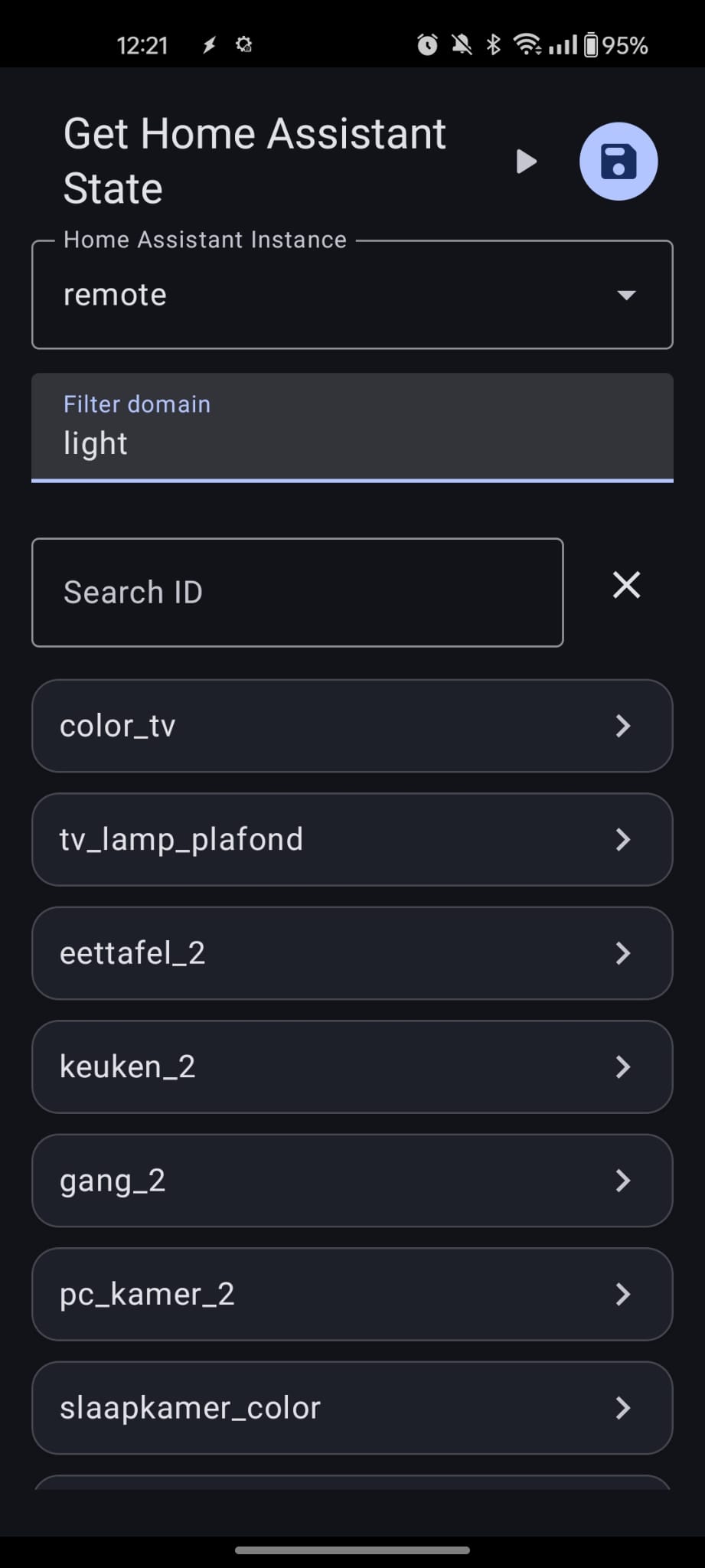
You can also enter an entity ID directly as a Tasker variable (e.g. %my_entity). Make sure to include the % prefix.
Example — Check if the alarm is armed
| Field | Value |
|---|---|
| Entity | alarm_control_panel.home_alarm |
After the action runs, use %ha_state in your task. For example:
- Run different actions based on
%ha_state ~ armed_away - Branch on
%ha_state ~ disarmed
Variables set after the action
| Variable | Description |
|---|---|
%ha_state | Current state of the entity (e.g. on, off, armed_away). |
%ha_attrs | JSON object of all attributes on the entity (e.g. brightness, color_temp for lights). |
%ha_raw | Raw JSON of the full API response from Home Assistant. |
%err | Error code. 0 means success. See Error codes below. |
%errmsg | Human-readable error message, often followed by a Java exception for details. |
Error codes
| Code | Description |
|---|---|
0 | No error. |
1 | Cannot connect to Home Assistant. Check your URL, network, and token. |
2 | Invalid input. Entity ID cannot be empty. |
3 | Entity state call failed. HA was reachable but the entity lookup failed. Check %errmsg for details. |
9999 | Unknown error. Check %errmsg for the Java exception. |
Parsing attributes
%ha_attrs is a JSON string. Use Tasker's Variable → JSON Extract action to pull out individual values like brightness or color_mode.