
Companion Integration
The TaskerHA Companion is an optional Home Assistant custom integration that unlocks richer features inside the Android app and provides a clean UI for bidirectional messaging.
What it provides
| Feature | Without companion | With companion |
|---|---|---|
| Targeting (service calls) | Entity ID's only | Entity ID's, Areas, devices, and labels |
| Send message to HA | Raw taskerha_message_back event | Device trigger with filter UI |
| Send message from HA | Listen for raw taskerha_message event | send_taskerha_message service action with UI |
Installation
Via HACS (recommended)
- Make sure HACS is installed.

Click the badge above → Add → Install.- Restart Home Assistant.
- Go to Settings → Integrations and add TaskerHA Companion.
Manual
- Copy the
custom_components/taskerha_companion/folder from the HACS repo into your HAconfig/custom_components/directory. - Restart Home Assistant.
- Add the integration under Settings → Integrations.
No configuration options are required — just add it and restart.
Registry data (areas, devices, labels)
Once installed, the app calls the taskerha_companion.get_registry_data service when loading entity pickers. This returns your HA organization data so the app can:
- Show a Label filter in entity pickers
- Show an Area filter in entity pickers
- Allow targeting by area, device, or label when calling services (matching how HA's own UI works)
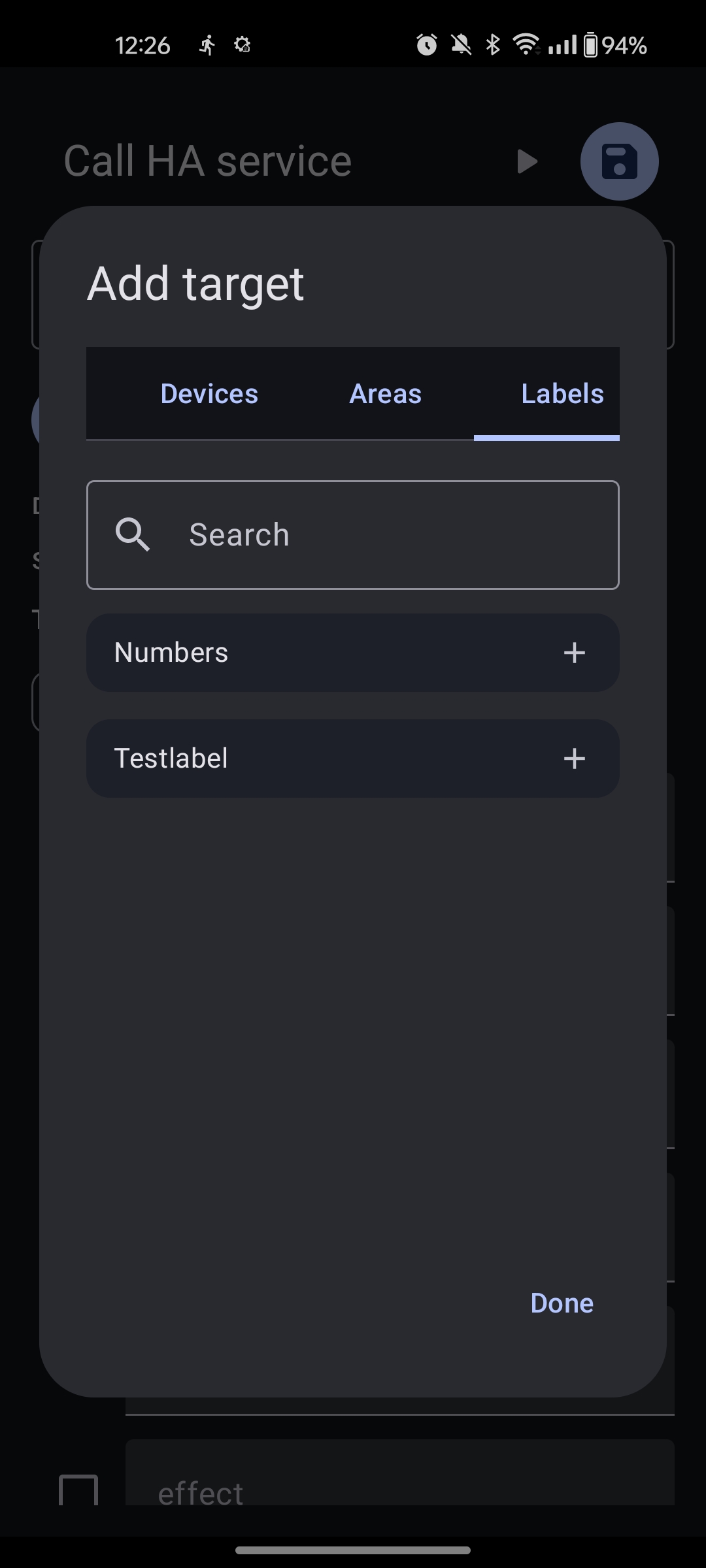
This service is called automatically by the app — you do not need to call it manually.
Sending messages from Home Assistant to Tasker
Use the taskerha_companion.send_taskerha_message HA service to push a message to a Tasker profile on the device.
In a Home Assistant automation
action:
  - action: taskerha_companion.send_taskerha_message
    data:
      type: lights_off
      message: good_night
Both type and message are optional strings. Leave either blank to send without that field.
The service fires a taskerha_message event on the HA event bus. The TaskerHA app listens for this over WebSocket and delivers it to the matching On HA Message profile.
WebSocket required
The app must have WebSocket enabled to receive messages. See the WebSocket guide.
See Direct Message from HA for how to configure the receiving profile in Tasker.
Receiving messages from Tasker in Home Assistant
When the HA Send Message Back Tasker action runs, the app fires a taskerha_message_back event. With the companion integration installed you can react to this via a device trigger instead of a raw event listener.
Setting up the device trigger
- Create a new automation in HA.
- Add a trigger → Device → select your TaskerHA Companion device.
- Trigger type: Receive message from TaskerHA.
- Optionally fill in Type filter and/or Message filter to only fire for specific messages.
The trigger data available in templates:
| Template variable | Description |
|---|---|
trigger.type_value | The type sent from Tasker. |
trigger.message | The message sent from Tasker. |
Without the companion integration
If you prefer not to use the companion, listen for the raw event:
trigger:
  - trigger: event
    event_type: taskerha_message_back
    event_data:
      type: my_type       # optional filter
      message: my_message # optional filter
See Send Message to HA for how to configure the sending action in Tasker.