
Direct Message from HA
Profile → Plugin → TaskerHA → HA Direct Message
Fires a Tasker profile when Home Assistant sends a message to your phone. Use this to let HA automations push data or commands to Tasker in real time.
WebSocket required
Enable the WebSocket toggle in the TaskerHA app. Without it this profile will never fire.
How to use
- In Tasker, create a new profile and tap Plugin → TaskerHA → HA Direct Message.
- Optionally set Type and/or Message to filter which events trigger this profile.
- If you leave a field empty, it matches any value.
- If you fill it in, the event must include that exact value to fire.
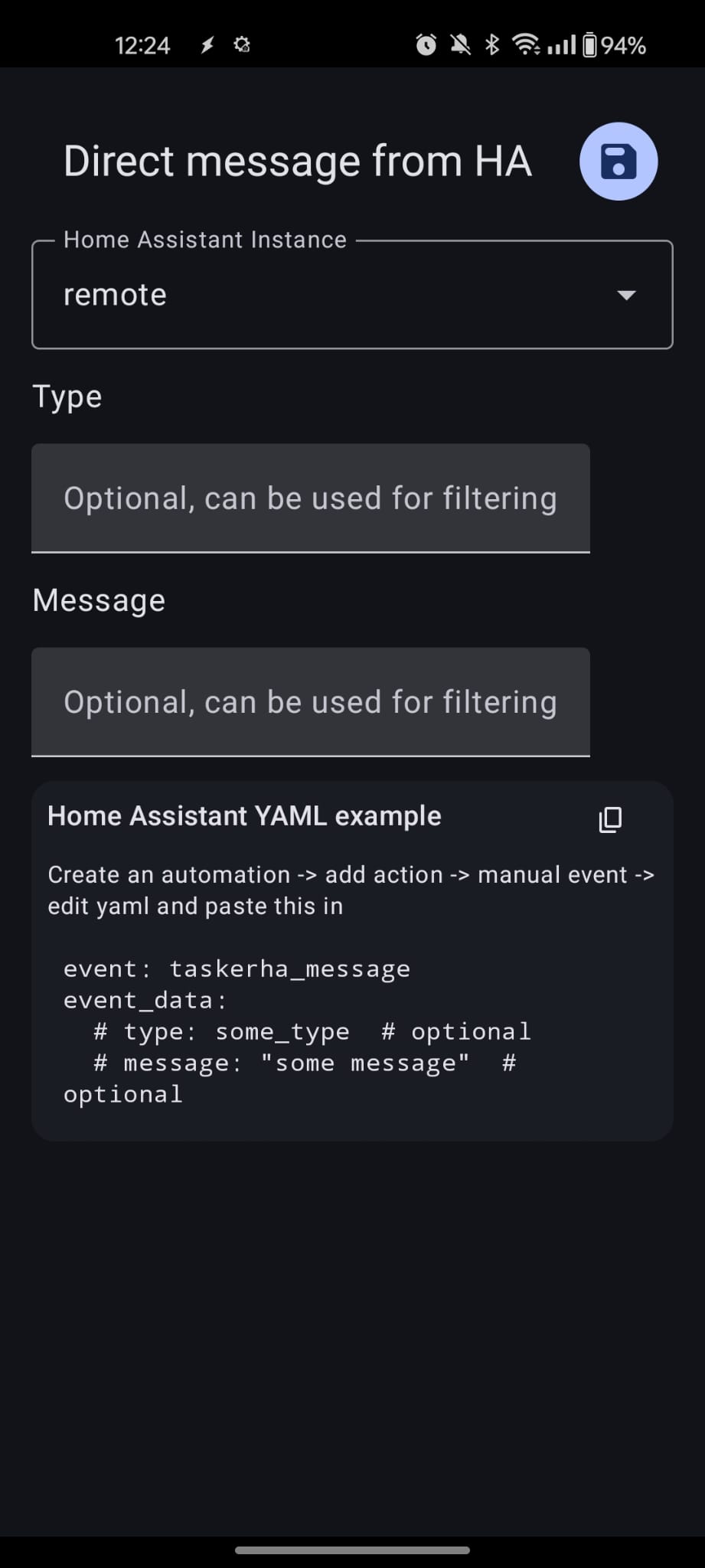
You can use Tasker variables in both fields.
Sending the message from Home Assistant
There are two ways to send a message from HA, depending on whether you have the companion integration installed.
With the companion integration (recommended)
Use the TaskerHA Companion: Send Message to TaskerHA service. This shows up as a proper action in the HA automation editor with labelled fields.
In an automation action:
action:
  - action: taskerha_companion.send_taskerha_message
    data:
      type: some_type       # optional — matched against the Type filter in Tasker
      message: some_message # optional — matched against the Message filter in Tasker
Or use the UI: Add action → TaskerHA Companion: Send Message to TaskerHA.
Without the companion integration
Fire the taskerha_message event manually:
action:
  - action: event
    event_type: taskerha_message
    event_data:
      type: some_type       # optional
      message: some_message # optional
Both approaches fire the same underlying event — the integration just provides a cleaner UI.
Example — Send a typed message from HA to Tasker
In Home Assistant (with integration):
action:
  - action: taskerha_companion.send_taskerha_message
    data:
      type: alarm_triggered
      message: kitchen_sensor
In Tasker profile:
| Field | Value |
|---|---|
| Type | alarm_triggered |
| Message | (leave empty to match any message) |
After the profile fires, %ha_message will contain kitchen_sensor.
Variables set when the profile fires
| Variable | Description |
|---|---|
%ha_type | The type value from the event. |
%ha_message | The message value from the event. |
%err | Error code. 0 means no error. |
%errmsg | Human-readable error message, often followed by a Java exception for details. |
Error codes
| Code | Description |
|---|---|
0 | No error. |
9999 | Unknown error. Check %errmsg for the Java exception. |
Sending a reply back to HA
To respond from Tasker back to Home Assistant, use the Send Message to HA action. This fires a taskerha_message_back event that your HA automations can listen for — either via the companion device trigger or the raw event.