
Test Connection
Action → Plugin → TaskerHA → HA Test Connection
Pings your Home Assistant instance(s) and returns whether they are reachable. Useful for conditionally routing tasks or alerting you when HA is offline.
How to use
- In Tasker, open a task and tap + → Plugin → TaskerHA → HA Test Connection.
- Select the instance to test (if you have multiple configured).
- Tap Save.
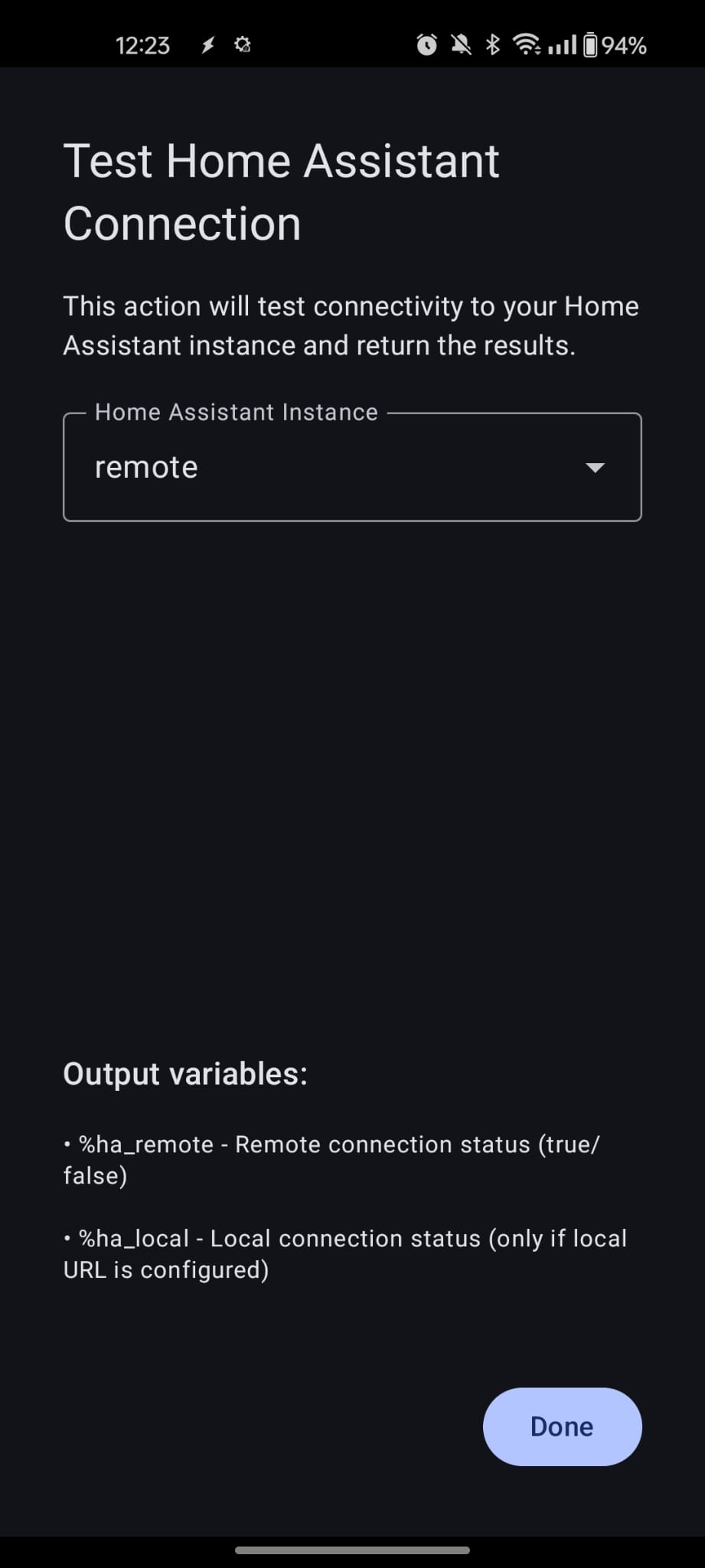
No other configuration is needed. The action always runs without blocking on errors — it sets %ha_remote to "true" or "false" regardless of the result.
What gets tested
- Remote URL — always tested. This is the primary URL configured in the app (e.g.
https://ha.yourdomain.com). - Local URL — tested only if the local URL feature is enabled in the app and a local URL has been entered. If the feature is off or the field is blank,
%ha_localis not set.
Example — Skip a task when HA is unreachable
Add a Test Connection action at the start of your task, then immediately follow it with an If condition:
| Condition | |
|---|---|
%ha_remote | ~ |
→ Stop Task (or show a notification).
This lets you skip service calls when HA is offline rather than waiting for them to time out.
Variables set after the action
| Variable | Description |
|---|---|
%ha_remote | "true" if the remote URL responded, "false" if it did not. Always set. |
%ha_local | "true" if the local URL responded, "false" if it did not. Only set when the local URL feature is enabled and a local URL is configured. |
TIP
This action never sets %err. It is designed to always succeed so you can safely branch on %ha_remote without needing error handling.